This guide explains how to set up ComfyUI + models on our GPU platform to generate videos (text-to-video, image-to-video, or video upscaling).
Prerequisites
- Operating System: Ubuntu 22.04 / Rocky Linux 9
- GPU Driver: NVIDIA Driver 535+
- CUDA Toolkit: 12.1 or higher recommended
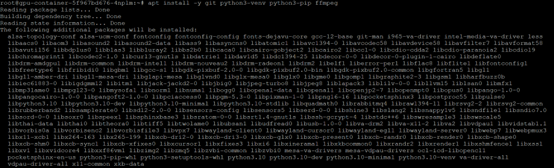
- Dependencies: apt update && apt install -y git python3-venv python3-pip ffmpeg
Step 1: Install ComfyUI
# cd /data/

# git clone [https://github.com/comfyanonymous/ComfyUI.git](https://github.com/comfyanonymous/ComfyUI.git)

# cd ComfyUI

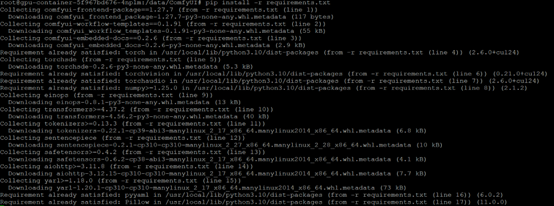
# pip install -r requirements.txt
Step 2: Start ComfyUI
# python main.py --listen 0.0.0.0 --port 7860
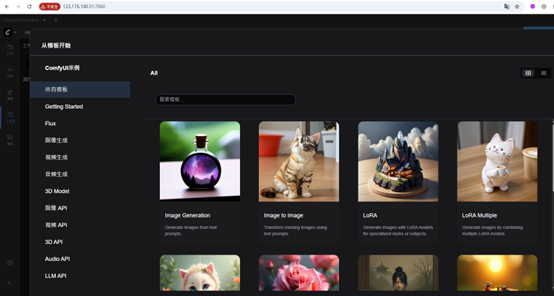
- Open in browser: http://yourserverip:7860
- You can import official
workflow JSONs (e.g. AnimateDiff pipeline) or build your own graph.
Workflow Examples
- Text-to-Video → Generate short video clips (8–16 seconds) directly from a prompt
- Image-to-Video → Animate a static image
- Video Upscaling → Improve resolution and sharpness of generated clips
Exporting Video
ComfyUI saves generated frames in ComfyUI/output/.
Use ffmpeg to combine frames into a video:
# ffmpeg -framerate 24 -i ComfyUI/output/frame_%05d.png -c:v libx264 -pix_fmt yuv420p output.mp4
GPU Platform Optimizations
- Persistent /data Directory → Store models and datasets here (survives container restarts).
- Clean Runtime Environment → Each restart resets dependencies, ensuring reproducibility.
- Multi-GPU Ready → Scale out jobs with Ray or Docker orchestration.